Import broker activity
Sync linked accounts through SnapTrade, or bring history in by manual entry.
Strikepad turns raw broker fills into labeled options positions — spreads, rolls, and whole wheel cycles — automatically. No tagging, no spreadsheet stitching. Review your trading instead of reassembling it.
Sync accounts from
and dozens more through SnapTrade
What Strikepad automates
Sync linked accounts through SnapTrade, or bring history in by manual entry.
Fills from different brokers land in one canonical options trade model.
Legs group into spreads, rolls, and lifecycle events — review starts at the position level.
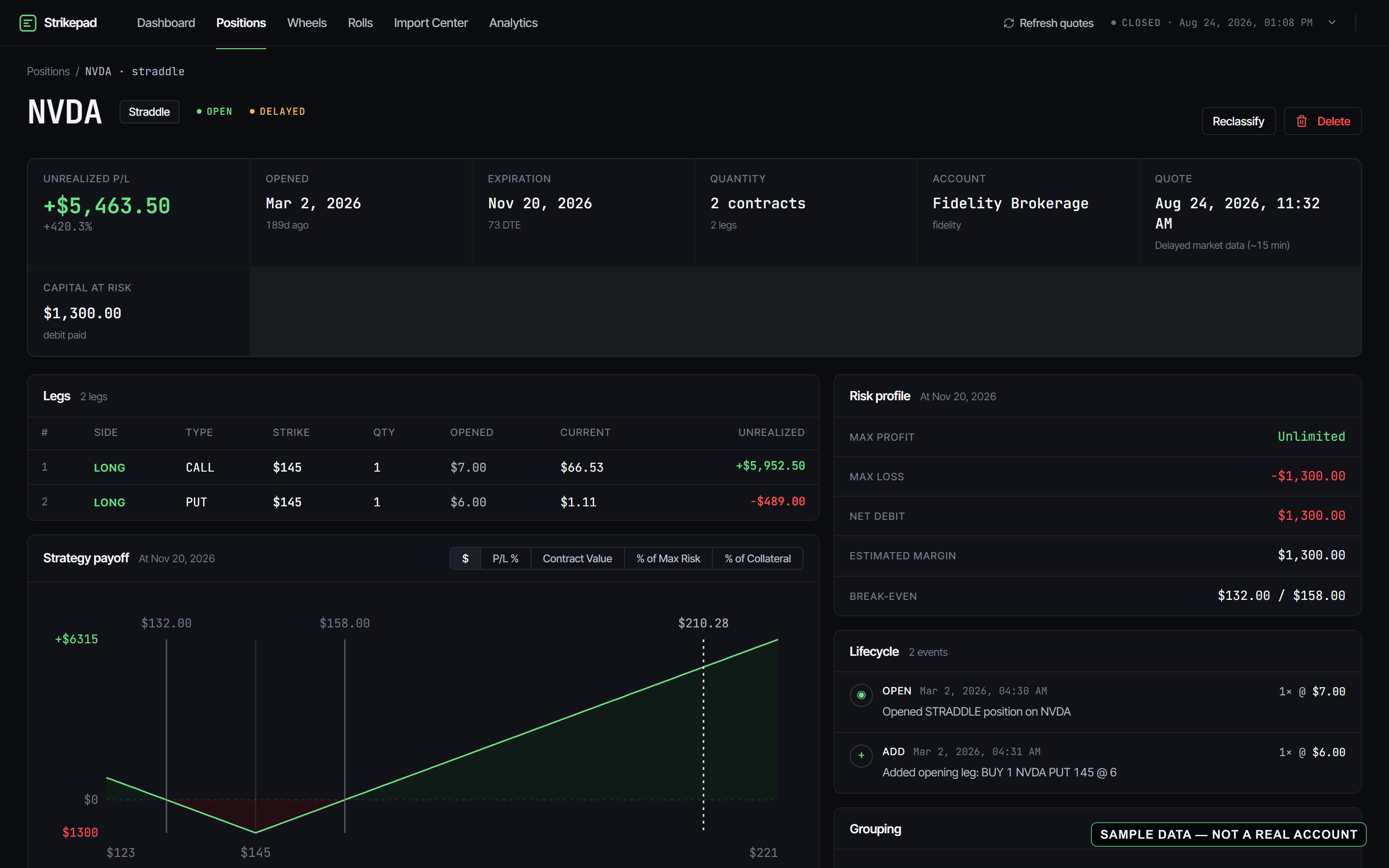
Position reconstruction
Other journals make you tag fills or merge legs by hand. Strikepad's reconstruction is automatic and rule-based: it reads your fills and rebuilds the position — legs, lifecycle events, rolls, partial closes — the same way every time, with no manual tagging. As with any automated classification, spot-check unusual or complex fills against your broker's own records.
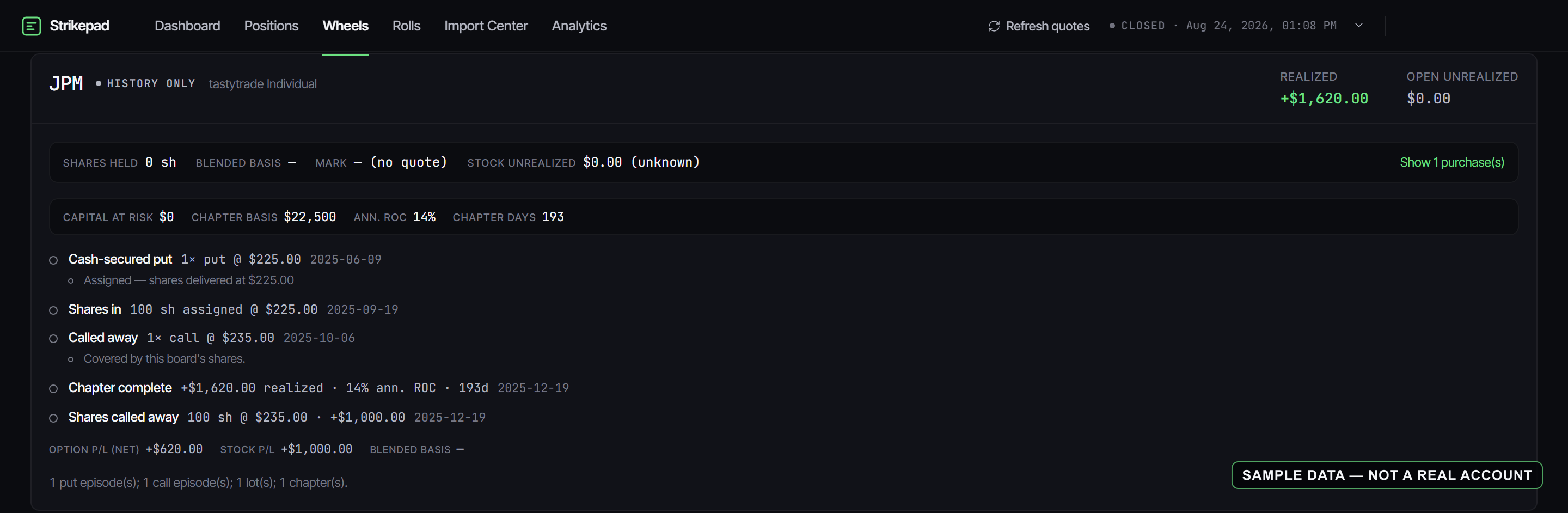
Wheel tracker
Sell a put, get assigned, sell covered calls, get called away — Strikepad links every step into one cycle on one board, per ticker, per account. Chained rolls, covered-call coverage, share lots, and the P/L of the complete cycle — not just its pieces. And when you trade more than the wheel, nothing changes: condors, calendars, diagonals, and every other multi-leg structure are first-class in the same journal.
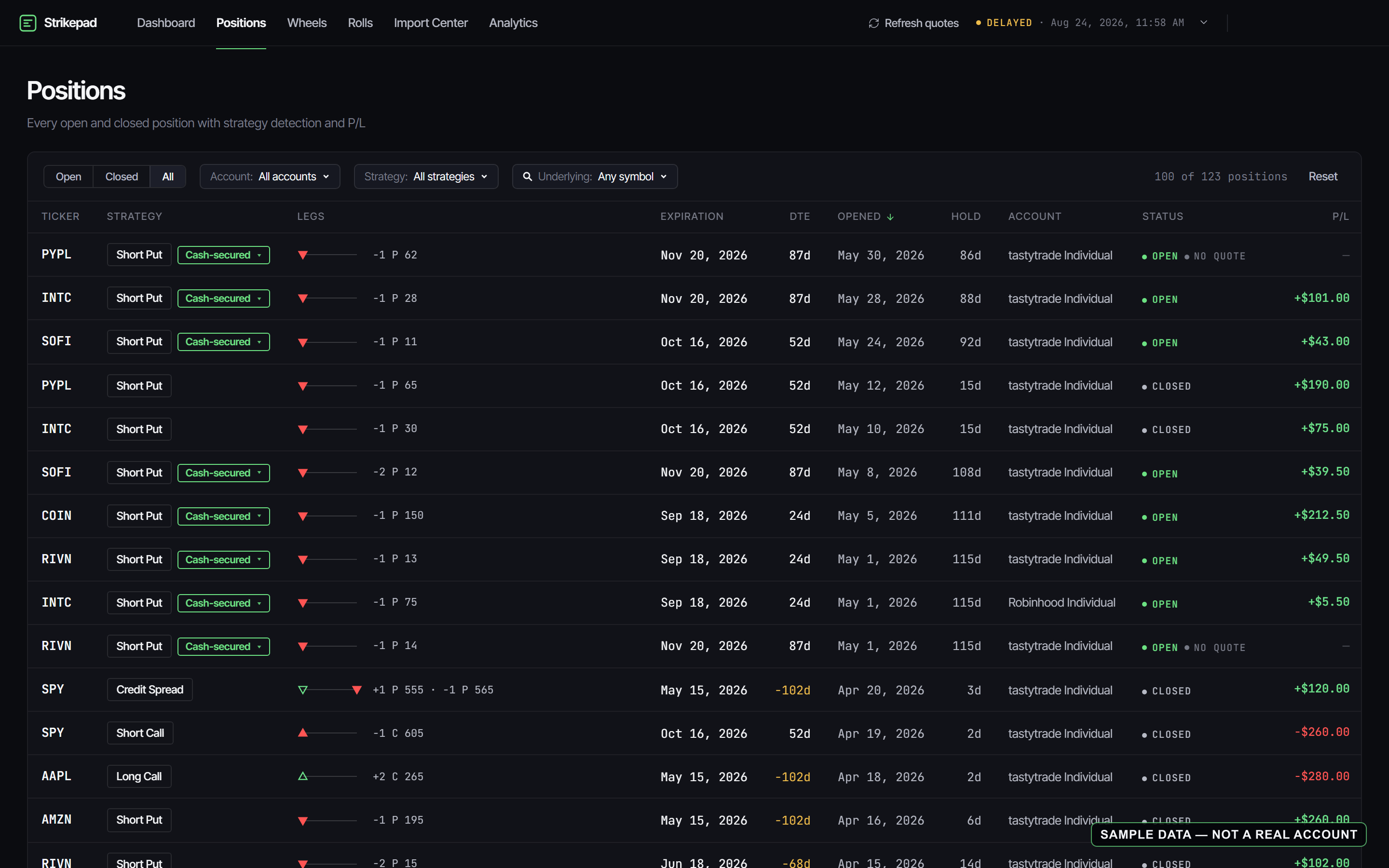
Multi-account
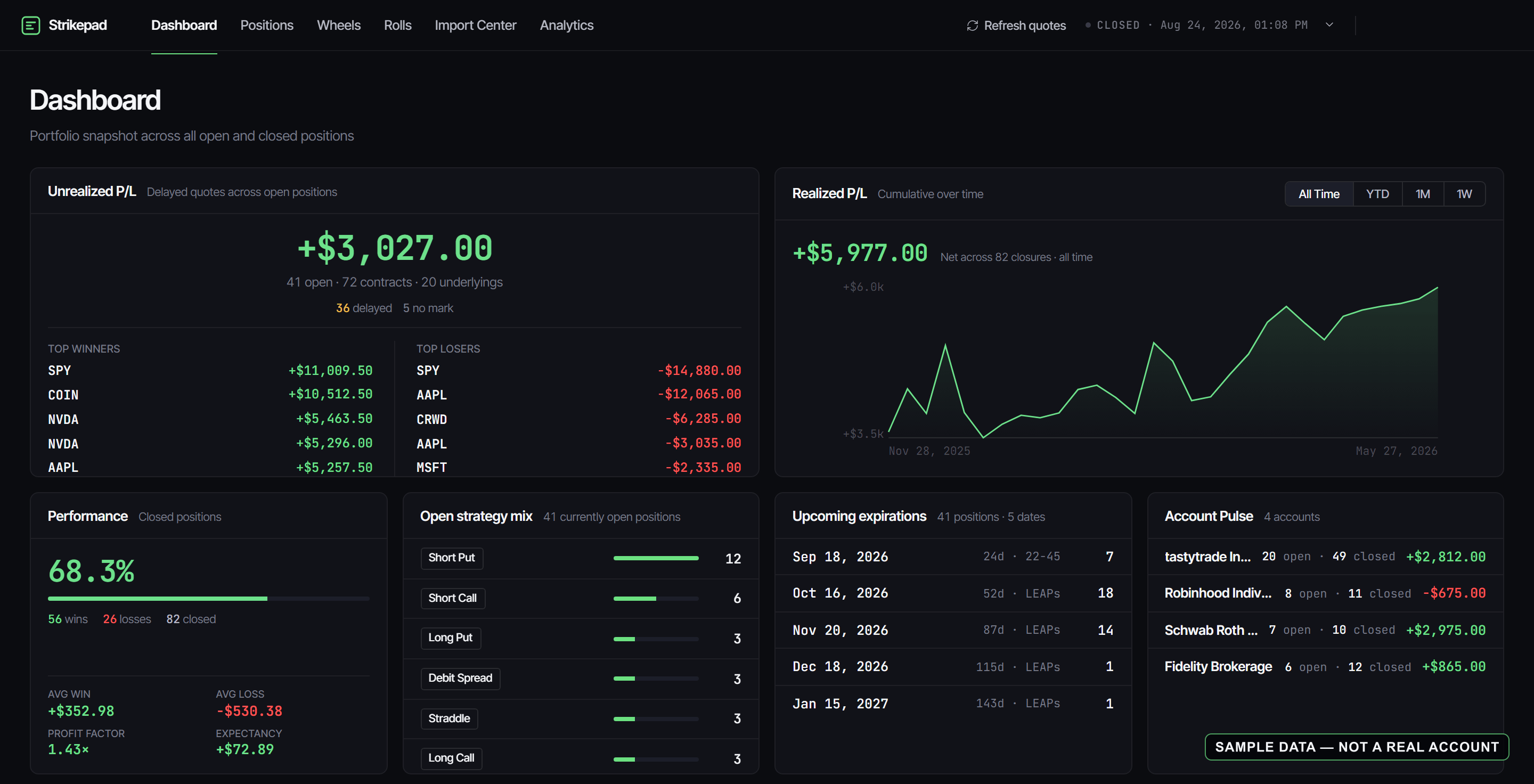
Positions from every linked broker land in a single filterable list — open and closed, any strategy, any underlying. One place to answer "what happened in this ticker?" across your whole book.
Analytics
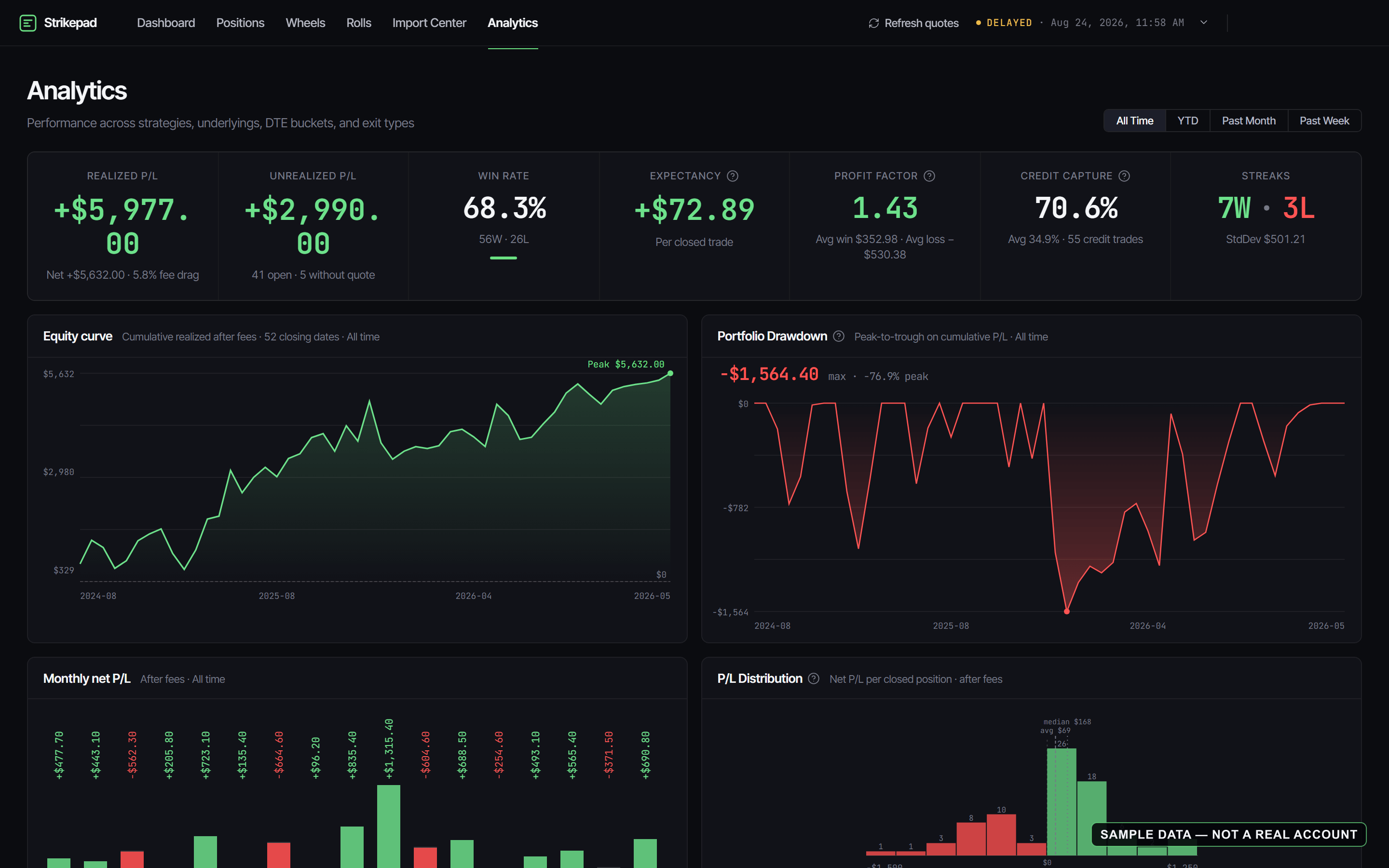
Win rate, expectancy, and realized P/L broken down by strategy, underlying, and account. Exit-type breakdowns, fee drag, capital at risk — every number computed from the trades you actually closed, nothing else.
Link accounts through SnapTrade and activity arrives on its own — new trades typically appear the next day, no exports and no uploads.
Enter multi-leg trades by hand when you need to, and keep truly custom structures as custom instead of forcing a wrong label.
Pricing
The invite-only beta is free while it runs.
$0 no card required
$12/mo or $120/yr — 2 months free
Prices in USD. No free trial — Pro is paid from day one. Payments are non-refundable except as described in the Terms or required by law. Subscriptions auto-renew until canceled; cancel anytime and keep your account and all imported data on the free tier. Market quotes are delayed at least 15 minutes — record-keeping, not trading — and broker data updates roughly once a day. Strikepad is offered only to U.S. residents aged 18 or older; it is not available outside the United States.
FAQ
Manual trade import, the full journal and analytics — position reconstruction included — and a read-only demo account with realistic data so you can explore before importing anything. No card required.
No. Pro is paid from day one. You can explore the journal, analytics, and demo account on the free tier before subscribing.
You keep your account and everything you imported — executions, positions, analytics — on the free tier. Only live broker sync is removed. Confirm cancellation through Settings → Billing before your next renewal time to prevent the next charge. Your paid access and broker sync continue to the end of the period you've paid for. Cancelling after renewal does not refund that charge, except as described in the Terms or required by law.
Broker connections run through SnapTrade with read-only access — Strikepad can see activity and holdings but can never place trades or move money. Credentials are handled by SnapTrade, stored secrets are encrypted, and you can disconnect at any time.
No. Quotes are delayed at least 15 minutes, and broker data updates roughly once a day — new trades usually appear the next day. Strikepad is a record-keeping and review tool, not a trading terminal.
Strikepad is offered only to U.S. residents aged 18 or older, and covers U.S. equity and ETF options. It is not available outside the United States.
Yes. You can delete your account from settings at any time; deletion removes your imported data per the Privacy Policy.
Get started